RIT Degree Tracker — Easily monitor degree requirements and progress
Project Overview
The RIT Degree Tracker is part of a master’s degree project for the HCIN 620 Information and Interactive Design course in Fall 2022, taught by Dr. Garreth Tigwell at RIT’s School of Information, Golisano College of Computing and Information Sciences.
The Challenge
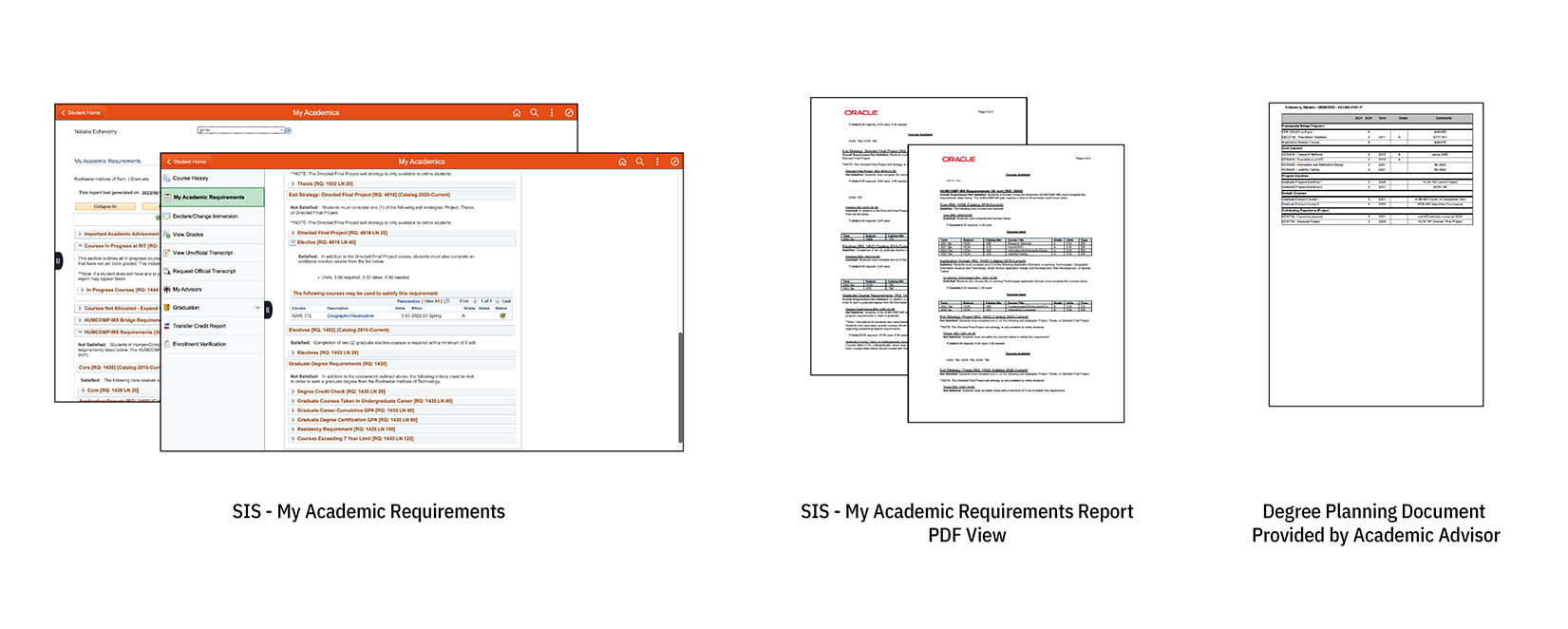
My classmates and I worked on a new system to enhance the user experience of RIT’s Student Information System (powered by Oracle). We focused on improving the Academic Requirements tab (Figure 1A), given its relevance to students. The current tab displays an option for generating a PDF report of a student’s current academic standing (Figure 1B). While this report is reliable (having used it myself many times), it lacks clarity, diagnostic information about academic standing, and information about pending requirements, which can be thought of as actionable items. While it is common for academic advisors to have one-on-one consultations with students about their degree progress and requirements, it is also desirable to empower students with information about their academic progress.
Our Approach
To create a user-relevant and friendly system, we followed the project phases proposed by the instructor, starting with interviews and persona creation, moving to prototyping, and finalizing with high-fidelity evaluation and future work. During the course, we built this website to showcase our work: RIT Degree Tracker website.
Sketches and prototypes
- Early sketches
- Low-fidelity prototype
- High-fidelity prototype (embedded below):
Key Learnings
Participating in this project was a meaningful learning experience, thanks to the opportunity to use observational data from surveys and contextual inquiries to design interfaces. One of the most salient “teachable moments” for me was conducting contextual inquiries with student participants. To my surprise, one of the widgets I thought was intuitive and clear wasn’t clear for all of them.
The GPA Widget Challenge
In the RIT Degree Tracker, we included a student card with an overview of the user’s academic requirements and current standing. This included an Overall GPA widget. To keep this sensitive information out of sight of people other than the user, we decided to hide the number by default and allow the user to hover over an eye icon to reveal it. The widget included a string of asterisks emulating the common password masking practice. In the design phase, we discussed that the asterisks would signal that there was a number that could be revealed. At least, that’s what we thought; however, the asterisks, instead of hinting at the hidden number, confused some users.
Future Directions
For future work, we planned to test widget designs for displaying sensitive numerical information, such as GPA, in academic contexts. This experience also highlighted the importance of testing widgets for displaying sensitive information, given their common use in online banking and financial technology for account balances.
Last updated: September 29, 2025